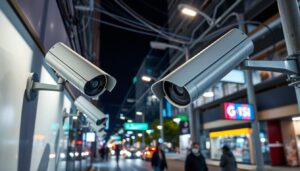
Chennai’s northeast monsoon, roughly October to December, is when CCTV systems are most likely to fail and when you most want them working. Waterlogged streets, power cuts and empty houses during heavy-rain holidays all raise the stakes. Most rain-related CCTV failures are not caused by the camera itself, but by the cables, joints, power supply and recorder around it.
This guide explains what to check before and during the rainy season, what to do after a heavy spell, and when to call a technician.
Why the Monsoon Is Hard on CCTV Systems
- Water entry at joints: Outdoor cameras are usually weatherproof, but BNC connectors, RJ45 joints and DC power pins are not. Water that runs along a cable into an open junction causes flickering, loss of video or corrosion over the following weeks.
- Power fluctuations and outages: Repeated power cuts and voltage spikes can damage adapters, power supplies and recorder hard disks.
- Lightning and surges: Long outdoor cable runs, especially to gates and terraces, can carry surges into the DVR or NVR.
- Flooding at ground level: In low-lying areas, recorders and power points placed near the floor or in stilt parking are at risk.
- Fogging and dirty lenses: Humidity can fog the inside of older or poorly sealed cameras, and rain spots on the dome or lens blur the picture at night when IR light reflects off them.
- Insects and spider webs: The warm IR LEDs attract insects in humid weather. A web across the lens triggers false motion alerts all night.
Pre-Monsoon CCTV Maintenance Checklist
Ideally this is done before the heavy rain starts, but it is still worth doing in the middle of the season.
1. Check every outdoor camera housing
Look for cracked domes, missing screws, loose sun shields and gaps in the housing seal. Check the camera’s weatherproof rating; outdoor cameras should be rated IP66 or higher. Indoor-only cameras that were later moved outside are a common source of monsoon failures.
2. Seal and protect cable joints
- Keep all connectors inside a proper weatherproof junction box, not wrapped loosely in insulation tape.
- Leave a small “drip loop” in the cable below the camera so water drips off instead of running into the connector.
- Check that cable entry points into the junction box face downwards.
- Replace cables with cracked outer insulation, especially on terraces exposed to sun all summer.
3. Raise and protect the recorder and power supply
Keep the DVR or NVR, hard disk, power supply and network switch at least a few feet above floor level, away from windows and walls that seep. Connect them to a UPS or inverter so short power cuts do not restart the system repeatedly. If your area is prone to surges, ask about surge protection on the power and long outdoor cable lines.
4. Clean lenses and remove webs
Clean the lens or dome with a soft, dry microfibre cloth. Avoid household glass cleaners, which can leave a film. Clear spider webs and insect nests around the camera, and check the night view afterwards.
5. Check recording and hard disk health
Open the recorder menu or mobile app and confirm that every camera is recording and that the hard disk status is normal. Play back a recording from the previous night to confirm night footage is usable. Check how many days of recording are stored, so you know how long you have to retrieve footage after an incident.
6. Confirm remote viewing works
If you travel during the rain holidays, make sure the mobile app connects outside your home Wi-Fi. Update the app and recorder firmware if updates are available. Our guide on remote monitoring in security systems explains why this matters.
During Heavy Rain: What to Watch For
- Video loss on one camera: Usually water at a joint or a damaged cable. Note which camera and when it started.
- Flickering, lines or colour bands: Often a sign of moisture in a coaxial connector on HD analog systems.
- Constant motion alerts: Rain, swaying branches and insects. Temporarily adjust motion sensitivity or switch to human detection if your camera supports it.
- Recorder restarting: Points to unstable power. Check the UPS or inverter connection.
For safety, do not open outdoor junction boxes, touch wet power adapters or climb ladders during rain. If there is water near the recorder or power supply, switch off power at the mains before doing anything else.
After the Rain: Recovery Checks
- Check every camera’s live view in daylight and at night.
- Look for fogging inside the camera glass. If it does not clear in a day or two, the seal may be damaged.
- Inspect junction boxes for water and green or white corrosion on connectors.
- Check the recorder’s event log for video loss and power loss entries.
- If the recorder or hard disk was exposed to water, do not switch it on again until a technician has checked it.
Placement Tips for Rain-Prone Locations
Where possible, mount outdoor cameras under a sunshade, ledge or eave so rain does not fall directly on the lens. Avoid positions where water runs off the roof edge over the camera. For gates and compound walls, a small hood or shield helps both in summer heat and in the monsoon. Homes near the coast, in areas such as Adyar and Thiruvanmiyur, also face salty air, so use corrosion-resistant mounting hardware. For flood-prone neighbourhoods, see how we approach installations in Madipakkam.
If you are planning a new system, our guide on choosing the best CCTV camera for your home in Chennai covers weatherproof ratings and outdoor camera selection in more detail.
When to Call a Professional
- A camera has no video after rain and does not recover.
- You see water or corrosion inside a junction box or camera.
- The recorder keeps restarting or shows hard disk errors.
- Cables run across the terrace or ground without conduit and need rerouting.
E-Sync Security Solutions provides CCTV installation and service across Chennai, including annual maintenance contracts (AMC) for regular checks. A planned visit before the monsoon is usually cheaper and less stressful than an emergency repair afterwards.
Frequently Asked Questions
Can outdoor CCTV cameras get damaged by heavy rain?
A properly rated outdoor camera (IP66 or higher) handles heavy rain. Damage usually happens at unsealed cable joints, power adapters or through a cracked housing.
Why does my CCTV camera show a blurry picture at night during the monsoon?
Rain drops, fog or a spider web on the lens reflect the camera’s infrared light and blur the image. Clean the lens and check whether rain falls directly on it.
Should I switch off my CCTV system during a storm?
Not normally. Keep it running on a UPS or inverter. Switch off at the mains only if water reaches the recorder or power supply.
How often should CCTV be serviced in Chennai?
Most homes and offices benefit from a full check at least once or twice a year, with one check before the northeast monsoon.
Get Your CCTV System Monsoon-Ready
If you would like your cameras, cabling and recorder checked before or after heavy rain, call or WhatsApp E-Sync Security Solutions on +91 8682826272 or message us on WhatsApp. You can also reach us through our contact page.