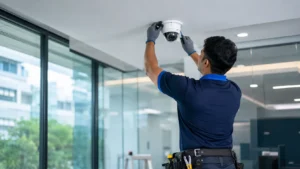
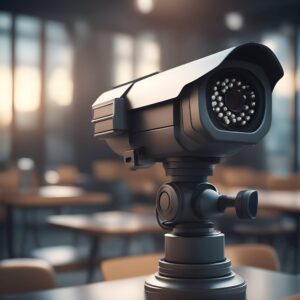
An office holds more than desks and computers. It holds client data, cash and documents, expensive equipment, and the people who work there, sometimes late into the evening. CCTV is one of the most practical ways to protect all of these, but in an office it needs to be planned with privacy and staff trust in mind, not just coverage.
This article explains why offices in Chennai benefit from a proper CCTV security system, where cameras should and should not go, and how CCTV works alongside access control and visitor management.
Why Offices Need CCTV
Protecting equipment and assets
Laptops, monitors, projectors and networking equipment are easy to carry out. Cameras at entrances, exits and store rooms deter theft and help trace missing items.
Controlling who comes in
Visitors, delivery staff, vendors and contractors pass through reception every day. CCTV at reception and entry points creates a record of everyone who entered and when, which complements a visitor management system.
Staff safety
Well-covered entrances, corridors, lift lobbies and parking areas help staff feel safer, especially those leaving late. Recordings also help resolve incidents fairly.
Protecting sensitive areas
Server rooms, record rooms and accounts sections need restricted access. CCTV combined with access control systems records both who opened a door and what happened inside.
Client and audit expectations
Some client contracts and information security audits expect physical security controls such as CCTV and access control at entry points and secure areas. A well-documented system makes these reviews easier.
Remote oversight
Owners and managers with more than one office or branch can check each location from a phone or a central monitoring screen.
Where to Place Cameras in an Office
| Area | Purpose |
|---|---|
| Building or office entrance | Clear faces of everyone entering and leaving |
| Reception and waiting area | Visitor record, deliveries, incidents at the front desk |
| Lift lobby and staircases | Movement between floors |
| Main corridors | Overall movement and after-hours activity |
| Server room, store room, records room | Access to sensitive assets |
| Cash and accounts area | Cash handling and safe access |
| Emergency and side exits | Doors that can be used to take things out unnoticed |
| Parking and building perimeter | Vehicles, two-wheelers and after-hours security |
Where Not to Place Cameras
- Washrooms, changing rooms and rest rooms.
- Directly over individual screens where they record passwords or confidential work, unless there is a specific, documented reason.
- Areas where staff reasonably expect privacy, such as a medical or nursing room.
Privacy, Policy and Staff Trust
CCTV in a workplace works best when people understand why it is there. Good practice includes:
- Visible signage that the premises are under CCTV surveillance.
- A short written policy covering purpose, camera locations, retention period and who can view footage.
- Limiting playback and export rights to a few authorised people.
- Keeping the recorder in a locked room or rack.
- Deleting footage automatically after the retention period unless it is needed for an incident.
Video of identifiable people can be personal data under India’s Digital Personal Data Protection Act, 2023. Speak to your legal or compliance advisor about how it applies to your organisation.
Choosing the Right Office CCTV System
- IP cameras with an NVR suit most offices: higher resolution, PoE cabling and integration with the office network.
- Dome cameras for interiors look discreet and are hard to tamper with; bullet cameras suit the building exterior and parking.
- WDR cameras are important at glass entrances with bright daylight behind visitors.
- A separate network or VLAN for cameras keeps CCTV traffic away from office systems.
- Retention of several weeks is common for offices, since incidents are not always noticed immediately.
Integrating CCTV With Other Office Systems
- Access control: Match door events with video for restricted rooms.
- Visitor management: Link visitor entries with reception camera footage.
- Attendance systems: Time and attendance systems at entry points work alongside entrance cameras.
- Alarms: Intrusion alarms for after-hours protection.
Offices Across Chennai
Chennai’s offices range from IT and back-office floors on OMR to professional firms and bank branches in the city centre. Offices in multi-tenant buildings, such as those around Perungudi and Sholinganallur, usually need to coordinate with building management, while standalone offices in areas like Nungambakkam control their own perimeter.
To understand how cameras reduce losses, read how CCTV helps prevent theft in commercial properties. For budgeting, see our CCTV installation cost guide.
Frequently Asked Questions
Is CCTV necessary for a small office?
Even a small office benefits from cameras at the entrance, reception and any room holding valuable equipment or documents. A small system covers these points effectively.
Can employers install CCTV in the workplace?
CCTV in common work areas for security purposes is widely used. Avoid private areas, display signage and have a clear policy. For legal questions specific to your organisation, consult a legal advisor.
How long should an office keep CCTV footage?
Many offices keep several weeks of footage. Set the period based on your risks and any client or audit requirements.
Should office CCTV be on the same network as computers?
It is better to keep cameras on a separate network or VLAN, which improves security and avoids slowing down office traffic.
Plan CCTV for Your Office
E-Sync Security Solutions designs and installs CCTV, access control and attendance systems for offices across Chennai. Learn more about our CCTV installation for offices, or call or WhatsApp +91 8682826272, message us on WhatsApp or use our contact page.