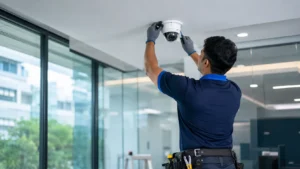
Security is easiest to get right before an office opens. Once desks are in, false ceilings are closed and staff have moved in, adding cable routes, door locks and camera points becomes disruptive and expensive. Whether you are setting up a new office, moving premises or expanding to a new floor, use this checklist alongside your interior and IT plans.
1. Plan Before the Interiors Are Finished
- List the assets you need to protect: people, equipment, data, documents, cash and stock.
- Mark entry points, secure rooms and high-traffic areas on the floor plan.
- Decide who needs access to which areas and at what times.
- Coordinate with your interior contractor so cabling for cameras, door readers and alarms runs before ceilings and partitions close.
- Check what the building management already provides, such as lobby CCTV, guards and fire systems, and what you must arrange yourself.
2. Building Entry and Reception
- A staffed or monitored reception that sees everyone entering.
- A visitor management system or register with photo and ID capture.
- Visitor badges that are returned on exit.
- A camera at the entrance that captures faces clearly.
3. Access Control
- Card, PIN, fingerprint or face readers on the main office door.
- Separate access levels for server rooms, records rooms, accounts and stores.
- Electronic locks that fail safe or release on fire alarm where required for evacuation.
- A process to remove access immediately when an employee or contractor leaves.
Learn more about access control systems.
4. CCTV Surveillance
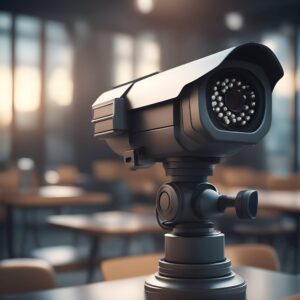
- Cameras at entrances, reception, corridors, lift lobbies, emergency exits, secure rooms and parking.
- No cameras in washrooms, changing rooms or similar private areas.
- Recorder in a locked room or rack, connected to a UPS.
- A defined retention period and a short CCTV policy.
- Mobile access for authorised managers only.
Our guides on office CCTV security and how many CCTV cameras a business needs cover this in detail.
5. Intrusion Alarm
- Door contacts on entry doors and motion sensors in key areas for after-hours protection.
- Alerts to the owner, admin or security team.
- Clear arming and disarming procedures for the last person leaving.
See our burglar alarm systems.
6. Attendance and Workforce
- A time and attendance system using fingerprint, face or cards.
- Integration with payroll if required.
- Records for contract staff and housekeeping as well as employees.
7. Fire and Life Safety
- A fire alarm system with smoke detectors, manual call points and sounders appropriate to the floor.
- Fire extinguishers of the right type near electrical panels, pantry and server room.
- Clear, unlocked emergency exits with signage and emergency lighting.
- Check whether your building or occupancy requires a fire NOC or approvals, and confirm with the building management and the relevant authority.
- Evacuation plan and periodic drills.
8. Server Room and IT Equipment
- Restricted access with a log of entries.
- A camera covering the server room door.
- Temperature monitoring and appropriate fire protection.
- Laptop cable locks or lockable storage for portable equipment.
9. Cash, Documents and Valuables
- A safe, fixed to the floor or wall, in a monitored area.
- Lockable cabinets for confidential documents.
- Clear-desk practice for sensitive information.
10. Communication and Emergency
- A public address system for announcements and evacuation in larger offices.
- Emergency contact numbers displayed at reception.
- First-aid kits and trained first-aiders.
11. Policies and People
- Background verification for staff and regular vendors.
- A short security induction for new employees.
- Rules for visitors, deliveries and after-hours work.
- A named person responsible for security systems.
12. Maintenance
- Scheduled servicing for CCTV, access control, alarms and fire systems.
- Regular tests of fire alarms and UPS backup.
- Periodic review of user access lists.
Frequently Asked Questions
What security systems does a new office need?
Most offices need CCTV, access control on the main door and secure rooms, a visitor process, a fire alarm system and, for after-hours protection, an intrusion alarm. Larger offices add attendance systems and public address.
When should security be planned for a new office?
During the interior design stage, before ceilings and partitions are closed, so that cabling for cameras, readers and alarms is concealed and correctly placed.
Who is responsible for security in a shared office building?
Usually the building management handles common areas such as the lobby and perimeter, while each tenant is responsible for its own office. Confirm the division in your lease.
How often should office security systems be checked?
Daily visual checks by admin staff, plus professional servicing every three to six months for CCTV and access control, and periodic testing of fire alarms.
Set Up Security for Your New Office
E-Sync Security Solutions supplies and installs CCTV, access control, attendance, alarm, fire alarm and public address systems for offices in Chennai, and can coordinate with your interior team. Learn more about our security installation services, or call or WhatsApp +91 8682826272, message us on WhatsApp or use our contact page.